Guide
Use your X bookmarks in Claude Code
Connect your twitsync library to Claude Code: search what you saved, read full posts, and let it read X live through your own browser. About two minutes.
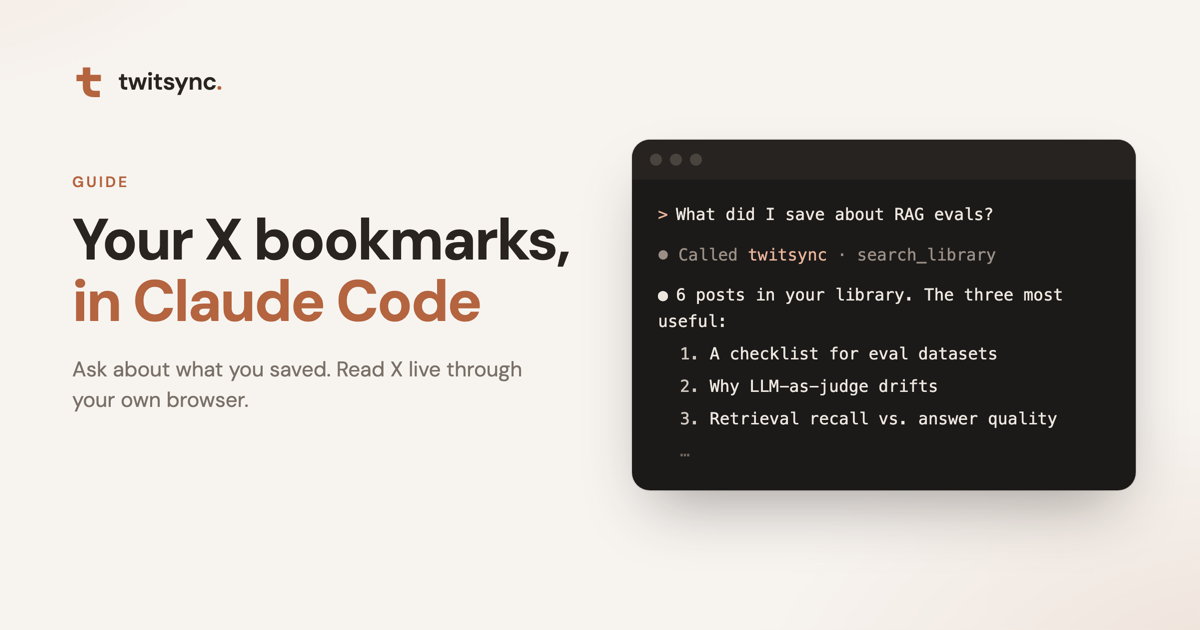
Everything you bookmark or like on X ends up in your twitsync library. Now you can plug that library into Claude Code and just ask: "What did I save about evaluating RAG pipelines?" It searches your library, reads the posts and answers from them.
If you use the twitsync browser extension, Claude Code can also read X live through your own browser: what an account has been posting, what people are saying about something, or what a long thread actually says.
What it can do
Your library
- Search the posts you saved, best matches first.
- Browse by date saved or by tag.
- Count what you have: total saved, likes, bookmarks, your most used tags.
- Read one post in full, including X Article bodies, your tags and your notes.
Live X (optional)
- A post and the author's replies that continue it (a thread), with full text.
- An account's latest posts.
- X search, with X's own syntax such as
from:handleorsince:2026-01-01.
It is all read-only. Claude Code can't post, like or follow for you, and it can't change your library.
Connect it (about two minutes)
- Open your library and go to Sync & settings → Use with Claude Code.
- Click Create token. You get the token and a connect command.
- Copy the command and run it once in your terminal.
- Run
claude mcp list. Whentwitsyncshows Connected, you're done. The card in settings also shows "Claude Code is connected" with the time of the last call.
A few notes:
- The token is shown once. The command already contains it, so you don't need to keep it separately, but copy it now if you want a spare.
- Works in every project. The command adds twitsync to your user-level Claude Code config.
- Safe to run again. It removes any earlier twitsync entry first, so a new token or a reinstall never fails with "already exists".
- The command is for macOS, Linux and WSL on Windows.
Let AI read X (optional)
You need the twitsync extension 0.3.0 or later in Chrome, signed in to x.com in that browser.
Turn on Let AI read X in the Use with Claude Code card (the extension popup has the same switch). When it says Connected, you're set.
How it works: when Claude Code needs something from X, the request goes to the extension in your browser, which reads it with your own X login and hands the result back to Claude Code. Nothing it reads is saved to your library.
To keep your X account out of trouble, the extension paces itself: at least a second between requests and no more than 30 a minute. If X says to slow down, it waits until X allows it again, and background sync waits too.
- It's off by default, and you can turn it off any time.
- Only one browser serves it at a time. Turn it on in another browser and the first one shows "Connected in another browser"; click Reconnect in this browser to switch back.
- If the browser or the switch is off, Claude Code tells you the extension isn't connected. Library features keep working.
What to ask
You don't have to mention twitsync. Claude Code decides when to use it:
- "What have I saved about Postgres indexes? Summarize the best three."
- "What kind of posts do I like most?"
- "Make a table from my bookmarks comparing Cursor and Claude Code."
- "What is this one about? https://x.com/…/status/…"
- "What has Anthropic posted on X this week? Group it by topic."
- "What are people on X saying about the new Claude release? Latest first."
Managing and troubleshooting
Your tokens lists every token by its first and last characters, when it was made and when it was last used. Delete the ones you don't need; anything using a deleted token stops working right away.
If it won't connect:
- Run
claude mcp get twitsyncand look at the start and end of the token afterAuthorization. - Compare it with Your tokens in settings:
- Not in the list: the token was deleted. Create a new one and run the connect command again.
- In the list but still a 401: the token probably wasn't copied in full. Copy the command again and rerun it.
- If you added twitsync inside one project before, that copy wins over the global one. Run
claude mcp remove twitsync -s localin that project.
Security and privacy
- A token can only read your library, at most 120 requests a minute, and you can delete it any time.
- We never keep the full token. The list shows only its first and last characters so you can tell them apart.
- Live X reads use the X login in your own browser. What they return goes straight to Claude Code and isn't saved.
- Reading X is off until you turn it on.