Guide
Use X bookmarks and likes as your read-later list: save on your phone, read on your computer
Bookmark or like a post on your phone, then read it on your computer: long posts expanded, videos playable. Add a note; half a sentence finds it again.
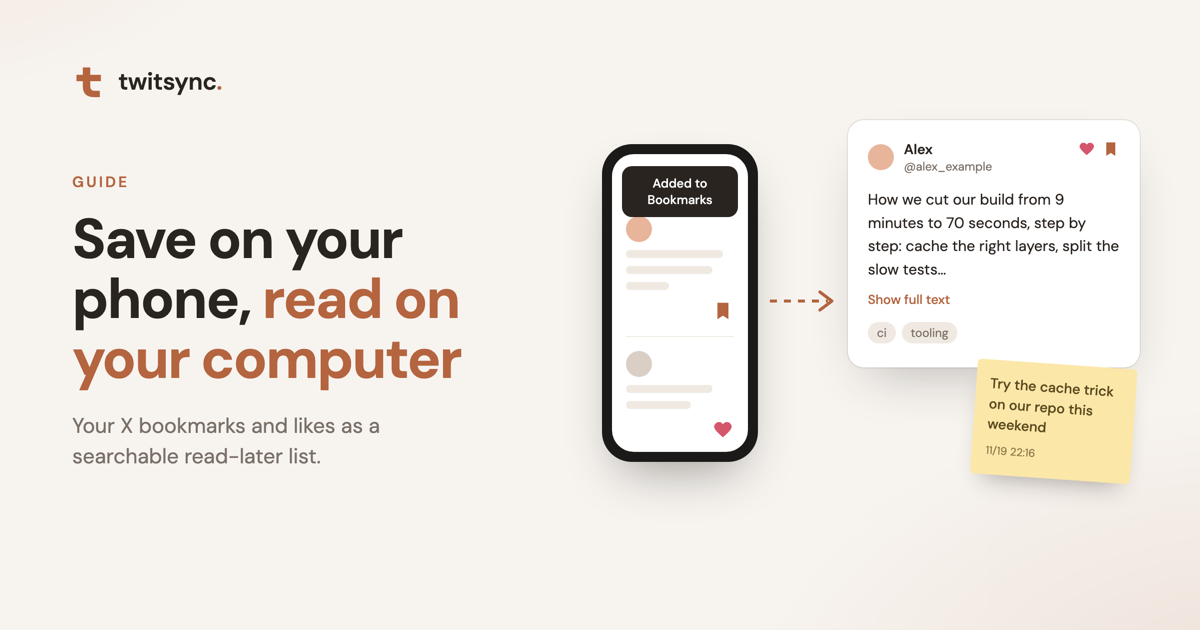
You know the habit. Scrolling X on your phone, you hit a long thread, an X Article, a tool you want to try, and you bookmark it for later. The good stuff gets a like.
Then the bookmarks and likes pile up. X's bookmarks page only finds exact words, your likes can't be searched at all, and the one post you meant to come back to is gone for good.
twitsync turns that into a simple loop: save on your phone, read on your computer, and find it again later with half a sentence. It works like the read-later apps you may remember, except there's nothing new to learn. You keep bookmarking and liking on X as usual, and both come along.
1. On your phone: bookmark and like as usual
When something deserves a proper read, bookmark it or like it and keep scrolling. No copying links, no sending posts to yourself, nothing to install on your phone.
A tip: treat bookmarks as "to read" and likes as "good stuff". twitsync keeps them apart, each with its own list, and you can also search both together.
2. At your computer: already synced
While Chrome is open on your computer, the twitsync extension syncs your bookmarks and likes in the background, about every 15 minutes. In a hurry? Click Sync now in Sync & settings, or the sync button in the extension popup.
If new posts arrive while your library is open, a notice at the top tells you how many came in. One click shows them.
3. Read: nicer than on X
Set the library to Bookmarks, in the order you saved them, newest first. That's your reading list. Switch to Likes and they're in the order you liked them, most recent first.
- Long posts open in place. Click Show full text; for an X Article, Read article shows the whole piece.
- Videos play right there on a computer with the extension.
- Translate in one click. Posts in another language get a Translate button, powered by Bing and run from your own browser.
- Read by type. Only long posts and threads today? Only tutorials or videos? Filter by type.
- Want the replies? Open original post on X takes you there.
Your likes, found again
On X, likes are just an ever-growing timeline: no search, no filters. Something you liked last week is already buried.
In twitsync, likes work like bookmarks:
- Searchable. Keywords, an author's name, or words from your notes bring a liked post back.
- Filterable. Show only likes, or only the long posts, videos or tutorials among them.
- Exportable. Export can include likes only.
Plenty of people bookmark little but like thousands of posts. That's a record of what you read and agreed with, and it's worth being able to find again.
4. When you're done: a note and a tag
Jot down why it mattered: "try this on the weekend", "come back when planning the redesign". Add a tag such as agent or design.
Notes and tags are private to you, and the words in your notes are searchable too.
5. Later: half a sentence is enough
Months later you remember "that post about breaking tasks down". Skip the exact wording: a few keywords, an author's name, or a word from your note brings it back.
You can also browse by tag, by authors you saved recently, or by type, for example every thread you ever bookmarked or liked.
On your phone, too
Your library lives in the cloud, so twitsync in your phone or tablet browser can search and read it. Remember something on the train? It's in your pocket.
Translation and video playback use the extension, so they work on a computer with twitsync installed.
Want a copy of what you read?
In Sync & settings you can export bookmarks and likes as Markdown, JSON or CSV, up to 1,000 at a time. The Markdown drops straight into Obsidian next to your own notes.
Get started
- Sign up for twitsync for free and add the extension to Chrome on your computer, following the steps on screen.
- Click Start sync in your library. The extension reads your bookmarks and likes with the X login you already have; no password needed.
- Keep bookmarking on your phone, and read at your computer.
The extension is read-only: it never posts, likes or follows for you. You can stop syncing at any time, or delete everything stored in the cloud in one click.